
Pocket Prep Behavioral Health
Pocket Prep, Inc.Education
4.5400.00 Reviews
- Version
- 3.29.1
- Installs
- 50.00K
- Age Rating
- Everyone
Screenshots
Our Review of Pocket Prep Behavioral Health
 Analysis by Appyee
When I’m preparing for a behavioral health exam, the hardest part is often fitting meaningful study into a day already packed with work, classes, and other responsibilities. Pocket Prep Behavioral Health is built around practice questions and mock tests for social work and counseling exams, so it gives me a focused way to revisit exam material in short sessions rather than always reaching for a textbook. That convenience is useful, but the experience depends in part on having a dependable connection when I want to get into a study session.
Where a connection matters in a study routine
I would treat this as a mobile study companion, not as a replacement for every resource I use to prepare. If I have a few minutes before class, I can open a question session and use that time to test what I remember. When I’m planning a longer review, I’m more likely to combine practice with notes, course material, and whatever official exam guidance applies to my credential. That division keeps the app’s role clear: it helps me practise and spot subjects that deserve more attention.
Connectivity can shape when that routine works smoothly. A stable connection is the sensible choice when opening the app or starting a session, especially if I’m counting on a quick burst of study between appointments. I wouldn’t plan my only exam preparation around being able to use it in a place with unreliable service. Instead, I’d check that I can access what I need before leaving home or work, then keep another study option available for a commute or waiting room where reception may be poor.
For a realistic example, imagine I have a lunch break before an afternoon shift and want to review counseling concepts without hauling a book around. I could use that break for a focused set of questions, note which concepts made me hesitate, and return to those topics later with a more complete resource. The useful part is not simply filling ten spare minutes; it is turning uncertainty into a specific next step. I would avoid treating a strong result in one short session as proof that I’m ready for the whole exam.
Building a practical routine around practice
The app is free to start, and Pocket Prep, Inc. is the developer. It has an average rating of 4.5 from around 2.8 thousand ratings, with more than 50 thousand installs. It is rated for Everyone, so its intended audience is broad, though the material itself is aimed at people studying for professional exams. The current version is 3.24.5, and it requires Android 8.0 or later. In-app purchases range from about $21 to $125 per item, so I’d check what access is included before deciding whether a paid option makes sense for my study plan.
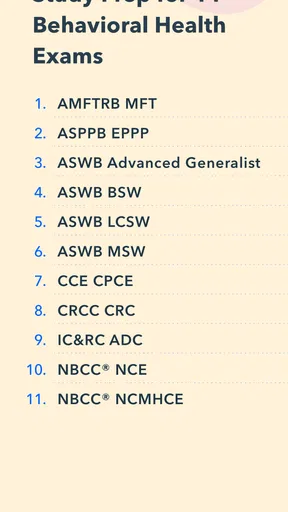
The app’s exam-focused approach is a better fit for someone who already knows which credential they are preparing for than for a person looking for a general introduction to behavioral health. Its coverage is described as spanning 13 social work and counseling exams, which gives people preparing for different credentials a reason to consider it. Still, I would confirm that the exam I’m taking is one of the relevant options before building my schedule around the app. The best practice material is only useful when it matches the goal in front of me.
That distinction also helps answer a common question: can this be my only study resource? I wouldn’t recommend relying on any question app alone for a high-stakes professional exam. Practice is valuable for checking recall and exposing weak spots, but I’d pair it with course notes, textbooks, and exam-specific guidance. If I’m new to a subject, I need explanations and structured teaching before repeated quizzes can do much good. If I already have a foundation, the app is more naturally useful as a regular self-check.
Making short sessions count
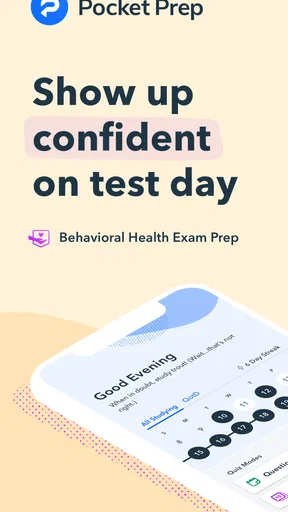
First off, let me tell you how easy it was to dive right into Pocket Prep Behavioral Health. The app’s interface is super user-friendly. You don’t need to be a tech wizard to navigate through it. Everything’s laid out clearly, and I was able to start practicing within minutes of installation.
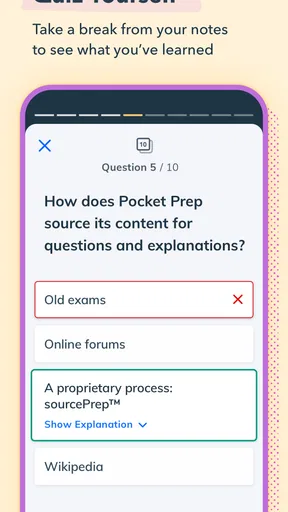
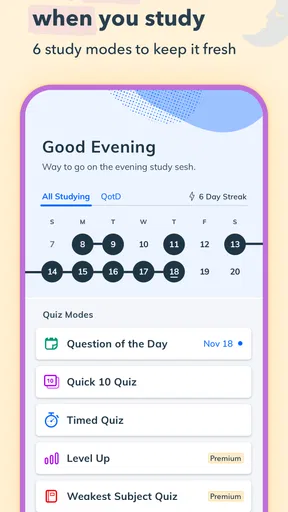
The app offers a variety of practice questions that cover different areas of behavioral health. Whether you’re tackling the NCE, CPCE, or any other certification, you’ll find a plethora of questions tailored to your needs. No more flipping through bulky textbooks—everything you need is right here in your pocket!
One practical way I’d use question practice is to separate “I knew that” from “I guessed correctly.” When a response feels uncertain, I’d mark the underlying concept in my own notes, then revisit it after the session rather than immediately repeating the same question until the answer feels familiar. That small habit guards against mistaking recognition for understanding. It also makes the app more useful as a diagnostic tool: the session tells me where to spend deeper study time, while my other materials help explain the topic fully.
Another trade-off is that a phone makes study easy to start but also easy to interrupt. Notifications, messages, and the temptation to switch apps can turn a focused practice block into scattered tapping. I’d use a quiet moment or silence distractions for the session, then stop when my attention fades. A shorter, deliberate review is more useful than rushing through questions while distracted, particularly when I’m trying to understand why an answer is right.
Features that Make a Difference
One thing that really stood out to me was the customization option. You can tailor your study sessions based on your personal preferences. Want to focus on a specific topic? No problem. Just select the category, and you’re good to go.
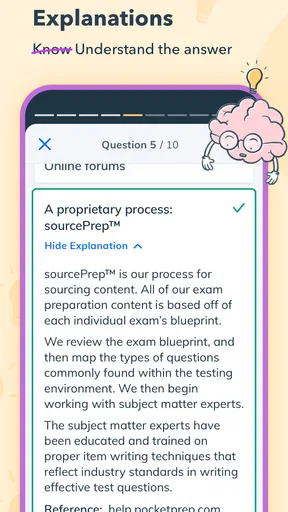
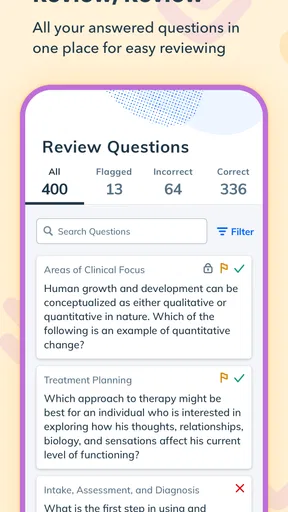
Another feature I loved is the detailed explanations provided for each question. It’s not just about knowing the right answer; it’s about understanding why it’s right. This app really emphasizes learning over memorization, which is a huge plus in my book.
And speaking of books, say goodbye to lugging those around! The app's portability is a game-changer. I found myself sneaking in some study sessions during my lunch breaks or while waiting for the bus. It’s a fantastic way to make use of those little pockets of time we all have.
Customization can be most helpful when it supports a plan rather than simply making every session feel comfortable. If I only choose topics I already know well, a tailored session may reassure me without improving my weaker areas. I’d use topic selection to target a specific gap, then occasionally broaden the practice so I don’t confuse familiarity with readiness. A useful rhythm is to review a challenging topic, read the explanations carefully, and later test myself across a wider mix of material.
The explanations are also a reason to avoid treating the app like a speed game. I’d pause after a wrong answer and ask what assumption led me there, not just memorize the correct option. If I can explain the reasoning in my own words, I have a better signal that I’ve learned something. If the explanation leaves me with a question, I’d look it up in a trusted course or reference instead of assuming a brief answer covers every nuance of a professional subject.
Tracking progress without overreading the numbers
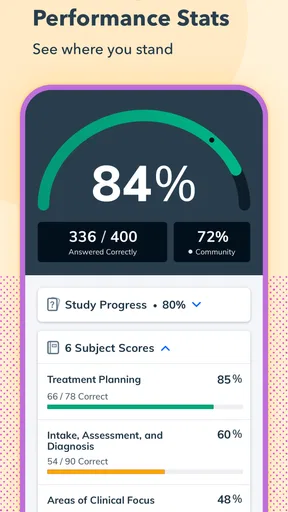
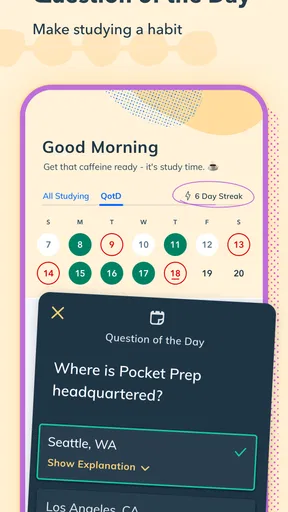
The app keeps track of your progress in a way that’s actually motivating. You get a breakdown of your strengths and areas that need improvement. Watching your scores improve over time is seriously satisfying. Plus, it offers a handy study reminder feature, ensuring you stay on track without having to set a dozen alarms on your phone.
What’s also neat is the performance dashboard. It gives you a visual representation of your progress. Nothing beats the feeling of seeing those numbers climb as you become more confident in your knowledge.
I’d use progress tracking as a guide, not as a guarantee. A score can change because I’m getting better, but it can also reflect which topics I chose, how familiar I am with a set of questions, or how much attention I had that day. To make the dashboard more meaningful, I’d compare my performance across different topics and use repeated weak areas to shape the next study block. The point is not to chase a perfect-looking screen; it’s to make a sensible decision about what to study next.
Reminders can help when exam preparation gets crowded out by daily commitments, but they are only useful if the schedule is realistic. I’d choose a routine I can maintain, such as a brief session after a regular break, rather than setting frequent prompts that I’ll start ignoring. If I’m already following a study calendar, the reminder is a nudge, not a substitute for planning. And if I’m in a low-connectivity place, I’d avoid depending on a notification as my sole cue to study.
Community, comparison, and choosing the right resource
Now, I didn’t expect this, but the app has a community aspect where you can compare scores and compete with others. It’s a friendly competition that adds a layer of fun to studying. It’s like having a study group in your pocket, but without the hassle of coordinating schedules.
And if you're feeling stuck or just want to chat about a tricky question, the app offers access to a community forum where you can ask questions and share insights with fellow users. It’s a great way to learn and connect with others who are in the same boat.
Community discussion can be encouraging, but I wouldn’t treat another user’s interpretation as an authoritative answer. People may be studying for different credentials or approaching a concept from different backgrounds. I’d use discussion to hear how others think through a difficult question, then check important points against reliable course materials. Score comparisons are best taken lightly too: they can add motivation, but they don’t tell me whether someone else has the same preparation, timeline, or exam target.
Compared with a textbook, this app is easier to carry and better suited to quick question practice, while a book or course can give a more continuous explanation of a subject. Compared with free notes or general web searches, a purpose-built exam practice tool can offer a more organized way to test recall, but it still shouldn’t replace careful review of official exam requirements. A live study group may be better if I need sustained discussion and feedback; this app is more convenient when I want an individual check-in without arranging a meeting.
That makes the app especially suitable for people who have already started learning the material and want an accessible way to revisit it throughout the week. It may be less suitable for someone who needs a full teaching course, wants all study to happen on paper, or has a credential that isn’t covered by the app’s exam options. I’d also think twice if I need a study tool that I can rely on in areas with inconsistent connectivity; it’s wiser to plan around access rather than assume every mobile session will be available wherever I happen to be.
Final Thoughts
Overall, Pocket Prep Behavioral Health is a solid tool for anyone looking to ace their behavioral health exams. It's convenient, comprehensive, and surprisingly fun to use. The app has really taken the stress out of studying, giving me the confidence boost I needed.
So, if you’re gearing up for your next big exam and want a reliable study buddy, give this app a shot. Trust me, your future self will thank you!
My practical verdict is that it works best as one part of a thoughtful preparation routine: use focused practice to find gaps, use explanations to reflect, and use fuller resources to build understanding where you need it. Before paying for an in-app option, I’d make sure the exam coverage and access offered fit my own timeline and needs. I’d also keep a backup plan for study time when my connection is unreliable. With those expectations, it can make spare moments more purposeful without pretending that a phone app can do the whole job of preparing for a demanding exam.
Verdict
Strengths of Pocket Prep Behavioral Health
- User-friendly interface for easy navigation.
- Comprehensive question bank for thorough prep.
- Customizable study sessions for flexibility.
- Detailed explanations enhance understanding.
- Offline mode available for study anywhere.
Limitations of Pocket Prep Behavioral Health
- Limited free content; subscription needed.
- Occasional app crashes reported by users.
- Some questions lack updated references.
- Progress tracking could be more detailed.
- Notifications can be overly frequent.
Other Releases by Pocket Prep, Inc.
View All
Pocket Prep Nursing 2026
Education4.6

Pocket Prep IT & Cybersecurity
Education4.3

Pocket Prep Professional 2026
Education4.5

Pocket Prep EMS 2026
Education4.5
Similar Picks in This Category
View All
Duolingo: Language Lessons
Duolingo4.7

Google Classroom
Google LLC2.8

Unacademy: Learn & Crack Exams
Unacademy3.2

Bible App for Kids
Life.Church4.4

Cake - Learn English & Korean
Cake Corp.4.7

Brainly: AI Homework Helper
Brainly4.5
Frequently Asked Questions
What is Pocket Prep Behavioral Health?
Pocket Prep Behavioral Health is a mobile app designed to help users prepare for various behavioral health certification exams. It offers practice questions, detailed explanations, and customizable quizzes to enhance study efficiency and knowledge retention.
How does Pocket Prep Behavioral Health enhance my study sessions?
The app allows users to create customized quizzes, track progress through detailed analytics, and access a vast library of practice questions. This personalized approach helps identify strengths and weaknesses, enabling focused study sessions tailored to individual needs.
Is Pocket Prep Behavioral Health suitable for all behavioral health exams?
While the app covers a wide range of behavioral health topics, it’s essential to check if your specific exam is included. The app provides content for many popular exams, but verifying through the app’s list of supported exams will ensure its relevance to your needs.
Can I use Pocket Prep Behavioral Health offline?
Pocket Prep Behavioral Health offers some offline functionality. Users can access previously downloaded quizzes and materials without an internet connection, making it convenient for study sessions on the go. However, initial downloads and updates require internet access.
What devices are compatible with Pocket Prep Behavioral Health?
Pocket Prep Behavioral Health is available for both Android and iOS devices. Ensure your device meets the minimum operating system requirements for optimal performance and to access the latest features and updates.
